

Download APK-Info – Android Compatibility, APK Details, Permissions, Signature Verification
Overview
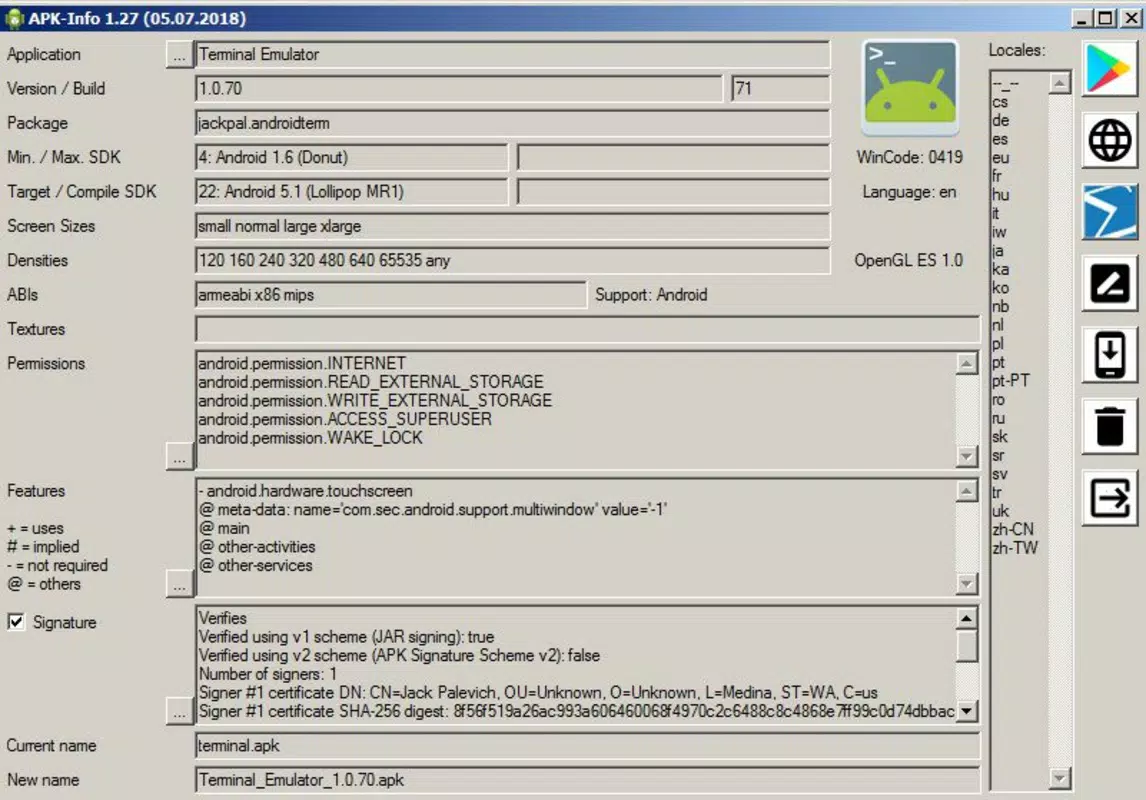
APK-Info is a specialized utility designed for Windows users who need to analyze Android Package (APK) files stored on their computers. The app provides detailed technical insights into APKs, making it a valuable tool for both developers and general users seeking transparency about Android applications. Its primary purpose is to decode and present key metadata associated with APK files, including compatibility information, required permissions, screen size recommendations, and digital signature verification. This functionality helps users determine whether an APK is safe, suitable for their device, and properly signed.
Target users include software developers testing app deployment, IT professionals managing Android app inventories, and curious individuals who download APKs from third-party sources. The app addresses the common concern of installing unknown or unverified apps by offering a structured way to inspect their components before installation. Real-world use cases include verifying the legitimacy of a downloaded app, checking compatibility with older Android versions, or organizing a personal APK archive. In the broader context of mobile app ecosystems, APK-Info fills a niche by providing a lightweight, accessible analysis tool for Windows-based users, enhancing security awareness and informed decision-making.
Key Features & Functionality
- Detailed APK Insights: The app displays core metadata such as the app name, package identifier, and supported Android versions. This allows users to quickly assess whether the APK will run on their device or emulator.
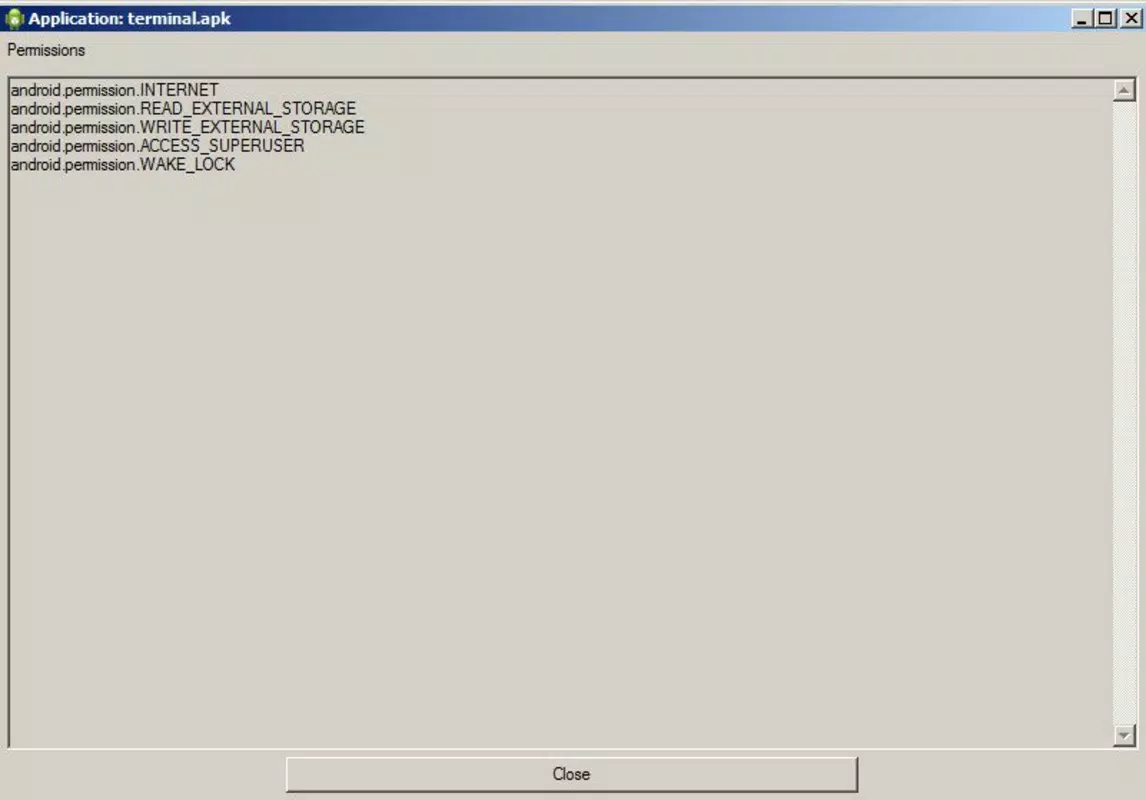
- Permission Overview: A clear breakdown of all permissions requested by the APK is presented, enabling users to evaluate potential privacy risks before installation.
- Screen Size Compatibility: Users can view recommended screen sizes (e.g., small, normal, large, xlarge), helping determine visual and functional suitability for specific devices.
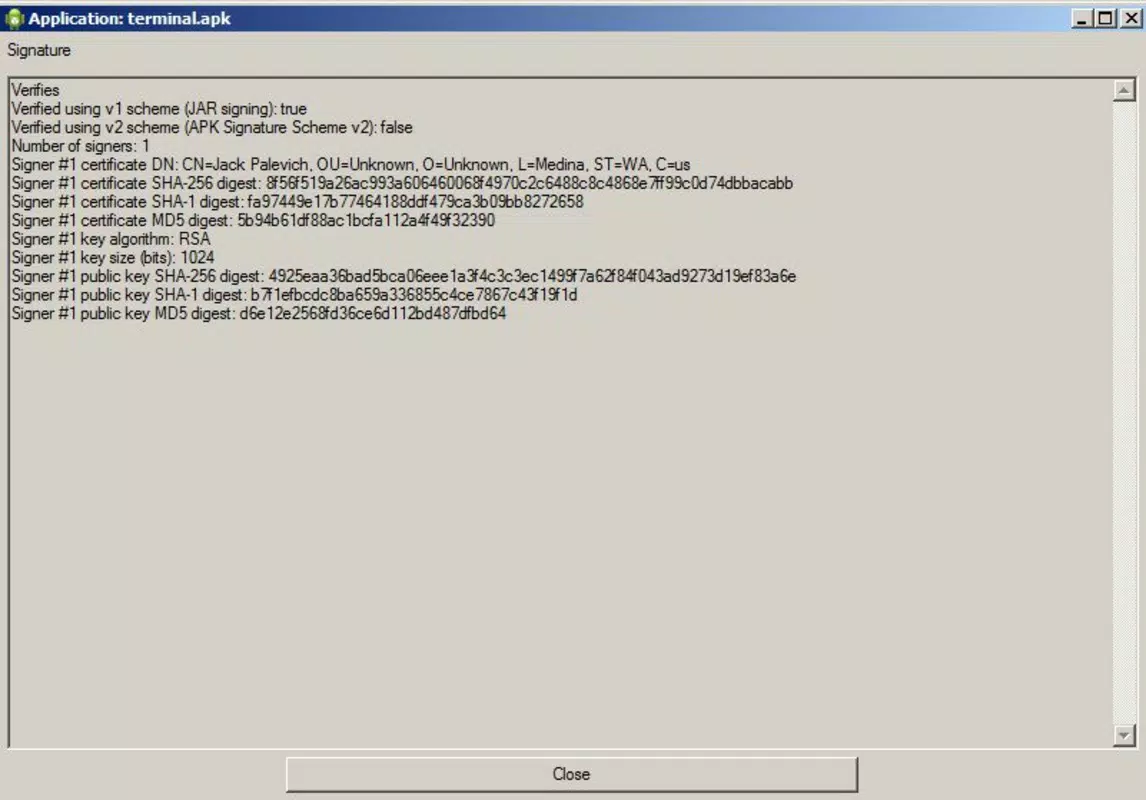
- APK Signature Verification: The tool checks the digital signature of the APK, verifying authenticity and detecting tampering or repackaging by third parties.
- APK Renaming Capability: Users can rename APK files directly within the app, simplifying file organization and labeling for future reference.
For example, a developer testing a new build can use APK-Info to confirm that the app targets the correct Android API level. A user downloading a game from a third-party site can verify its permissions and signature before installing it. These features collectively promote safer, more informed app usage and management.
Interface, UX & Performance
APK-Info features a clean, minimalist interface optimized for functionality rather than visual flair. The layout is straightforward, with a central panel displaying APK metadata and side navigation for accessing different analysis sections. Users can load an APK file by simply opening the application and selecting the desired file from their system. The navigation flow is linear and intuitive, minimizing user confusion.
Although the developer did not list formal performance metrics, the app appears to operate efficiently on standard Windows systems. Responsiveness is consistent across different file sizes, and the tool does not exhibit noticeable lag during analysis. Stability is maintained even when processing multiple APKs in succession.
The user experience is streamlined, focusing on delivering accurate data without unnecessary distractions. The app does not require installation, which enhances accessibility and reduces system footprint. Compatibility with various Windows versions was not fully disclosed, but the lightweight nature suggests broad support across modern desktop environments.
Platform Compatibility & Technical Requirements
APK-Info is designed for the Windows operating system. The application does not require installation and can be launched directly after extraction. The file size is 1.4 MB, indicating a lightweight footprint suitable for systems with limited storage. Specific OS requirements were not listed by the developer, so compatibility with older or newer Windows versions remains unspecified. The app is not available for mobile platforms such as Android or iOS, as it is strictly a desktop utility.
Users should ensure they are running a compatible version of Windows and have sufficient permissions to access the file system. The developer did not provide detailed technical specifications, including CPU architecture or memory usage. However, the small file size and portable nature suggest minimal resource demands.
Pros and Cons
Pros
- Lightweight and portable – no installation required
- Provides essential APK metadata for informed decision-making
- Supports signature verification for security validation
- Offers clear permission and compatibility insights
- Includes useful file renaming functionality
Cons
- Not available for mobile platforms
- Developer did not specify minimum OS requirements
- Interface lacks advanced customization options
- Does not support batch processing of multiple APKs
- Functionality is limited to analysis – no installation or modification capabilities
FAQ
Is APK-Info safe to use?
Yes, APK-Info is a standalone utility that analyzes APK files without modifying them. It does not install apps or access the internet, minimizing security risks.
Can I use APK-Info on Android or iOS?
No, APK-Info is exclusively designed for Windows. It is not available for Android or iOS devices.
Do I need to install APK-Info?
No, the application is portable. Simply extract the file and run the executable directly.
What kind of APK files can APK-Info analyze?
It can analyze standard Android APK files, including those downloaded from third-party sources or extracted from devices.
How often is APK-Info updated?
The developer did not provide information about update frequency. The latest version available is from 2019.
Final Thoughts
APK-Info stands out as a reliable, no-frills tool for Windows users who need to inspect APK files. Its ability to decode critical metadata—such as compatibility, permissions, and digital signatures—makes it a trusted companion for developers and security-conscious users alike. While it lacks advanced features like batch processing or mobile support, its core functionality is solid and purpose-built. The app’s lightweight design and portability enhance its accessibility, making it ideal for quick analysis tasks.
For anyone managing APKs on a desktop, whether for testing, archiving, or security review, APK-Info delivers real value. It empowers users to make informed choices without relying on third-party tools or complex environments. Its simplicity and focus on essential data reflect a thoughtful design philosophy.
Download APK-Info now


